Train Smarter with Digital Ground School
Build lessons, assign materials, and monitor student progress from one intelligent dashboard.
Launch Ground School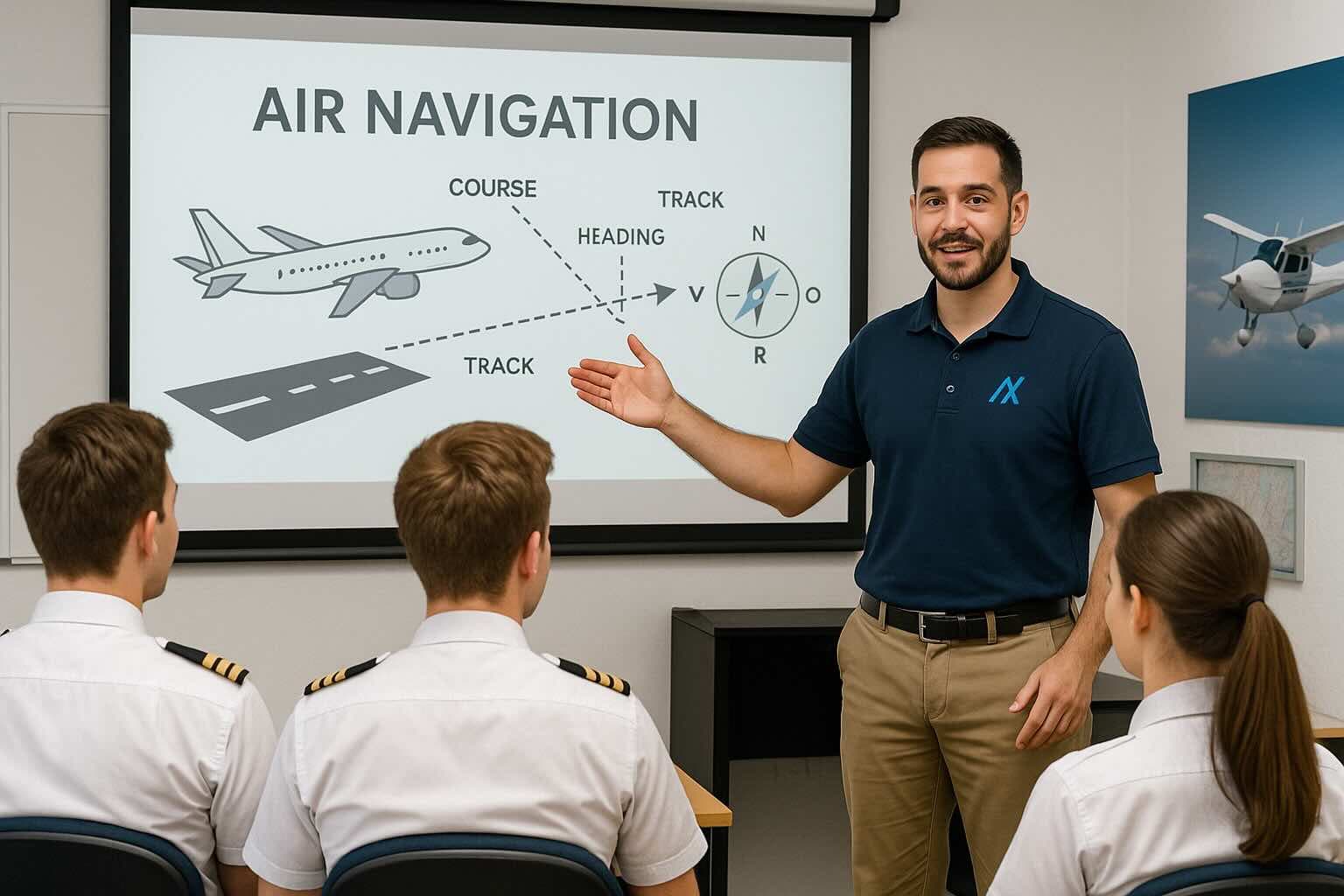
Lesson Planner
Student Dashboard
Digital Endorsements
Quiz & Progress Tools

Modernize Your Ground School
- Build structured curriculums with quizzes and attachments.
- Track individual performance and lesson completion.
- Assign materials and receive digital endorsements.
- Auto-generate reports for checkride readiness.

Oversee Every Student With Ease
- Dashboard Insights: Quickly view student status and progress gaps
- Communication Tools: Share files, send feedback, and schedule lessons
- Secure Backups: Auto-save logs and lesson history to the cloud
Digital Ground School Tools
Curriculum Builder
Design structured ground school syllabi tailored to private, instrument, or commercial certification levels.
Lesson Planner
Create lesson flows with file attachments, multimedia, and key objectives for each session.
Student Dashboards
Monitor student comprehension, quiz results, and attendance in one visual interface.
Endorsement Tracker
Log and manage digital endorsements for knowledge test readiness and certification prep.
Quiz & Assessment Tools
Deploy integrated quizzes with automatic scoring, feedback, and progress tracking.
Reference Material Uploads
Host FAA handbooks, PDFs, and video tutorials directly in the learning environment.
In-App Communication
Chat with students, respond to questions, and provide feedback within each lesson context.
Session Scheduling
Organize group or one-on-one sessions with calendar sync and attendance tracking.
Custom Class Groups
Group students by course type or progress level for differentiated instruction and tracking.

Instructor Marketplace & Tools
- Access FAA reference materials and endorsed lesson plans
- Connect with other ground instructors and CFIs
- Join verified instructor directories and school rosters
- Share and reuse training content with version control
Common Use Cases for Ground Instructors
Create Ground School Curriculum
Build and manage structured training syllabi aligned with FAA knowledge test prep and endorsements.
Plan & Deliver Ground Lessons
Design lesson flows, attach resources, and present directly through the instructor dashboard.
Manage Student Cohorts
Assign students to specific classes or progress tracks and monitor individual performance.
Issue Digital Endorsements
Track endorsement eligibility and issue digital sign-offs for written tests or solo authorizations.
Monitor Student Progress
View completion rates, quiz performance, and readiness indicators across your entire class.
Communicate With Students
Send announcements, lesson feedback, or training resources via the built-in messaging center.
Assign Custom Assessments
Deliver quizzes and evaluations linked to lesson plans to gauge comprehension and retention.
Centralize Training Materials
Upload, organize, and reuse FAA documents, charts, and study aids within your training ecosystem.
Traditional Ground School vs Avioyx
| Feature | Legacy Tools | Avioyx |
|---|---|---|
| Curriculum Design | Paper binders or Word documents | Digital syllabus builder with lesson objectives and sequencing |
| Lesson Planning | Manual notes or PowerPoint slides | Attach documents, links, and resources to each lesson |
| Student Progress Tracking | Instructor memory or spreadsheets | Dashboards with quiz scores, attendance, and readiness flags |
| Endorsement Logging | Signed papers or PDFs | Digital endorsements with FAA references and audit trail |
| Assessment & Testing | Printed quizzes and hand grading | Auto-graded assessments with review options |
| Material Distribution | Email or handouts | Built-in file uploads and student-accessible libraries |
| Class Scheduling | Wall calendar or external app | Integrated calendar with reminders and attendance logging |
| Student Grouping | Manual sorting or folders | Class-based grouping with progress filters |
| Student Communication | Email or group chat | Built-in chat per student with history and file sharing |
| FAR Compliance Checks | Manual audit of lesson content and hours | System flags for expired reviews and checklist gaps |
| Lesson Backup | External drive or paper | Cloud sync with version history |
| Knowledge Test Prep | Handouts or third-party apps | Integrated prep material linked to FAA ACS/PTS standards |
How It Works
Create Your Instructor Profile
Register on Avioyx, add your credentials, subjects taught, and school affiliations.
Build Your Ground Curriculum
Design a structured syllabus with lessons, modules, and objectives for each student group.
Upload Reference Materials
Add FAA documents, handouts, links, and videos to support each lesson plan.
Schedule Sessions & Assign Students
Manage classes, set session times, and invite students to join your training groups.
Track Progress & Quiz Performance
Use built-in quizzes and dashboards to monitor how each student is performing.
Issue Digital Endorsements
Provide signed endorsements directly within Avioyx once students meet training requirements.
Communicate & Share Feedback
Use integrated messaging and file-sharing to follow up with students between sessions.
Prepare for FAA Knowledge Tests
Align lessons with test prep tools and help students review ACS/PTS standards effectively.
Archive Records & Reports
Export student performance logs, endorsement records, and class reports anytime.
Case Study: Ground School Revamp at AeroFly
Instructor Mason transformed their Part 61 ground school with Avioyx. After adopting the full curriculum builder, student pass rates rose by 30%.
- Built custom lesson plans with quizzes and resource links
- Tracked endorsements and automated progress reports
- Received real-time feedback from students for continuous improvement

“Avioyx made managing ground school efficient and enjoyable. I’ve never had this much insight into my students' learning.”
Instructor Success Stories
“Avioyx made it easy to organize all my ground lessons and monitor student understanding. I don’t use spreadsheets anymore.”
“My classes are more interactive with digital quizzes and shared materials. It also saves me hours of admin.”
“Managing multiple students and issuing endorsements is seamless. The dashboard helps track every learner's progress.”
“Endorsements, quizzes, and materials are all in one place. My students love the clarity and access.”
“I teach part-time and Avioyx helps me stay organized and professional — even when managing multiple groups.”
“Sharing lessons, uploading FAA references, and giving feedback has never been easier. Love the platform!”
“From lesson planning to tracking attendance, Avioyx is an all-in-one ground school hub.”
“The student dashboards and performance reports help me identify who needs extra help quickly.”
Seamless Integrations
Avioyx connects with industry-standard aviation tools — making setup fast and flight operations smooth.


Trusted by Ground Instructors Worldwide
Educators in 10+ countries use Avioyx to power modern ground school experiences.
Frequently Asked Questions
Pricing for Independent and School-Based Instructors
Flexible plans for solo instructors and full ground school programs.
Free
$0/month
Perfect for solo ground instructors just getting started
- Manage up to 3 students
- Basic lesson planner
- Digital endorsement logging
- Upload reference materials
- Desktop-only access
Pro
$19/month
Ideal for freelance ground instructors with active student groups
- Unlimited students
- Advanced lesson builder with attachments
- Integrated quizzes & assessments
- Student performance dashboards
- In-app chat and file sharing
- Mobile + desktop access
Enterprise
Custom/month
Designed for schools running full ground training programs
- Multi-instructor access & management
- School-branded curriculum system
- Custom course templates & bulk uploads
- Compliance and endorsement reporting tools
- Integrated Stripe billing options
- Dedicated support & onboarding
Featured in Top Aviation Media & Brands
Avioyx is trusted by aviation professionals and featured in top flight training and aerospace publications.





Start & Scale Your Career Paths
Discover tools and features designed for every aviation role—from students to professionals.